
Introduction
Podcasting has become one of the fastest-growing forms of digital content. From storytelling and education to interviews and entertainment, podcasts attract millions of listeners every day. However, creating a successful podcast involves much more than recording your voice. Clean sound quality, smooth transitions, noise reduction, and professional editing all play a major role in keeping listeners engaged. This is where podcast editing software becomes important.
Choosing the right podcast editing software can feel confusing, especially for beginners. Some programs are simple and easy to use, while others include advanced tools designed for professionals. Your ideal choice depends on your skill level, budget, editing needs, and podcast goals. A beginner may prefer a simple drag-and-drop editor, while an experienced creator may need multi-track editing and audio enhancement tools.
Today, podcast creators have access to many excellent options. Some software solutions are free, whereas others offer premium features for better sound production. Learning how to use podcast editing software properly can improve audio quality, reduce mistakes, and create a better experience for listeners.
This guide will explain everything you need to know about podcast editing software, including its importance, step-by-step usage, benefits, risks, mistakes to avoid, and expert recommendations for better podcast production.
What is Podcast Editing Software?
Podcast editing software is a digital tool used to edit, improve, and prepare podcast audio before publishing. It helps creators remove mistakes, reduce background noise, add music, improve sound quality, and organize recordings professionally.
Instead of uploading raw audio directly, podcast creators use podcast editing software to polish their recordings. This creates a cleaner and more enjoyable listening experience.
Common tasks completed with podcast editing software include:
- Removing pauses and unwanted sounds
- Adjusting volume levels
- Adding intro and outro music
- Enhancing voice clarity
- Combining multiple audio tracks
- Exporting files in podcast-friendly formats
For example, if a podcast host accidentally coughs during recording, podcast editing software allows easy removal of that mistake without affecting the entire episode.
Why is Podcast Editing Software Important?
Podcast editing software plays a major role in podcast success. Poor audio quality can make listeners stop listening quickly. On the other hand, clean and professional sound encourages people to stay longer and subscribe.
Here are several reasons why podcast editing software matters:
Better Audio Quality
Editing software improves voice clarity and reduces unwanted background noise. Even a simple microphone recording can sound professional after editing.
Improved Listener Experience
Listeners enjoy podcasts that sound organized and polished. Proper editing removes awkward pauses and distractions.
Professional Branding
Adding intros, outros, sound effects, and smooth transitions makes a podcast feel more professional and memorable.
Saves Time
Good podcast editing software simplifies editing tasks and reduces production time.
Helps Fix Mistakes
Nobody records perfectly. Podcast editing software allows creators to remove errors easily without re-recording everything.
Detailed Step-by-Step Guide
Step 1: Choose the Right Podcast Editing Software
Selecting suitable podcast editing software is the first step.
Popular options include:
- Audacity – beginner-friendly and free
- Adobe Audition – professional-level editing
- GarageBand – ideal for Apple users
- Hindenburg Journalist – made for podcasters
- Descript – text-based podcast editing
Beginners usually prefer simple software with easy navigation.
Step 2: Record High-Quality Audio
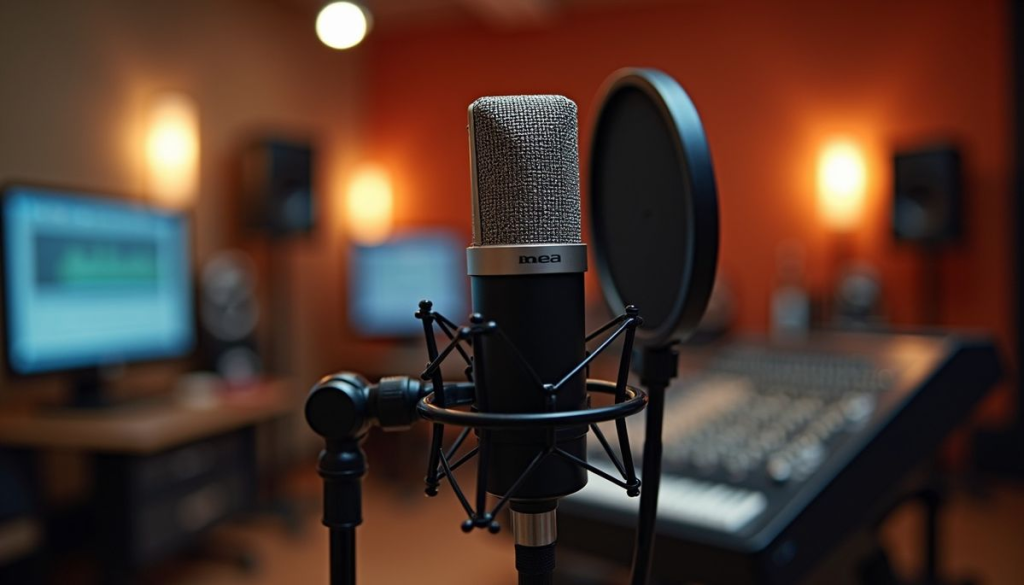
Editing starts with quality recording.
Before recording:
- Use a decent microphone
- Record in a quiet room
- Reduce background sounds
- Test microphone settings
Even the best podcast editing software cannot completely fix poor recording quality.
Step 3: Import Audio Files
Once recording is complete, import your audio into podcast editing software.
Most software supports formats such as:
- MP3
- WAV
- AAC
After importing, organize your tracks carefully for easier editing.
Step 4: Remove Background Noise
Noise reduction is one of the most important features of podcast editing software.
You may remove:
- Fan sounds
- Traffic noise
- Keyboard sounds
- Static interference
A cleaner recording improves professionalism.
Step 5: Cut Unwanted Sections
Podcast recordings often contain mistakes.
Remove:
- Long pauses
- Repeated words
- Mistakes
- Interruptions
This helps maintain audience attention.
Step 6: Adjust Audio Levels
Volume consistency matters.
Podcast editing software allows creators to balance voice levels so listeners do not struggle with sudden volume changes.
Step 7: Add Music and Effects
Background music adds personality.
Common additions include:
- Intro music
- Outro music
- Transition sounds
- Background effects
However, avoid overusing effects because they can distract listeners.
Step 8: Export Final Audio
After editing, export the episode.
Recommended file formats include:
- MP3 for smaller file size
- WAV for high quality
Double-check audio before publishing.
Benefits of Podcast Editing Software
Podcast editing software offers many advantages:
- Improves sound quality significantly
- Helps remove mistakes easily
- Saves production time
- Makes podcasts sound professional
- Enhances listener experience
- Supports multi-track recording
- Allows audio customization
- Reduces distracting noises
- Improves brand identity
- Helps maintain audience retention
Creators who regularly use podcast editing software often produce higher-quality episodes.
Disadvantages and Risks
Despite many advantages, there are some challenges:
- Premium software can be expensive
- Learning advanced features takes time
- Over-editing can make audio sound unnatural
- Large projects may require powerful computers
- Technical problems may slow production
Beginners sometimes feel overwhelmed by too many editing options.
Common Mistakes to Avoid
Many creators misuse podcast editing software. Avoid these common mistakes:
Ignoring Audio Quality
Poor recording quality cannot always be fixed later.
Overusing Effects
Too many sound effects can annoy listeners.
Skipping Noise Reduction
Background noise reduces professionalism.
Poor File Organization
Messy files waste editing time.
Publishing Without Listening
Always review the final episode before uploading.
Choosing Complex Software Too Early
Beginners should avoid overly advanced tools initially.
FAQs
1. What is the best podcast editing software for beginners?
Audacity is often recommended because it is free, simple, and beginner-friendly.
2. Is free podcast editing software good enough?
Yes, many free options offer excellent features for beginners and intermediate creators.
3. Can I edit podcasts on my phone?
Yes, several mobile apps allow podcast editing, but desktop software usually provides better control.
4. How long does podcast editing take?
Editing time depends on episode length and editing complexity.
5. Do I need expensive software?
Not always. Many successful podcasters start with affordable or free podcast editing software.
6. Can podcast editing software remove background noise?
Yes, most modern software includes noise reduction features.
Expert Tips & Bonus Points
Follow these expert recommendations:
- Record in quiet spaces
- Use headphones during editing
- Keep backup files
- Learn keyboard shortcuts
- Maintain consistent audio quality
- Avoid over-editing voices
- Practice editing regularly
Experienced podcasters also recommend creating a repeatable editing process.
For example:
- Record audio
- Remove mistakes
- Reduce noise
- Add music
- Adjust volume
- Export file
- Review final version
Consistency improves podcast quality over time.
Conclusion
Podcasting continues to grow rapidly, making content quality more important than ever. Great ideas alone are not enough to build a loyal audience. Listeners expect smooth, clear, and professional sound, which is why podcast editing software has become an essential part of podcast production.
Whether you are just starting or already have experience, choosing the right podcast editing software can transform your content. From removing mistakes and balancing sound levels to adding music and improving clarity, editing tools help creators produce engaging episodes that listeners enjoy.
The good news is that many options exist for every budget and skill level. Beginners can start with simple and free programs, while advanced creators may choose premium software for better control. The key is learning how to use podcast editing software effectively rather than depending only on expensive tools.
As podcasting becomes more competitive, investing time in editing skills can make a major difference. Clean audio, consistent quality, and smooth listening experiences encourage people to return for future episodes. By choosing suitable podcast editing software and following smart editing practices, creators can build stronger podcasts and grow their audience successfully.