
Introduction
Audio recording tools have become an important part of modern communication, entertainment, and content creation. Whether someone wants to record a podcast, create music, make YouTube videos, or simply save voice notes, the right tools can make a huge difference in sound quality. Today, people of all skill levels are looking for reliable solutions that help them record clean and professional audio without spending too much money.
The demand for audio recording tools has increased because digital content continues to grow every day. Students, business professionals, musicians, gamers, and video creators now depend on recording software and equipment to produce better results. Fortunately, many options are available for beginners and experienced users alike. Some tools focus on simplicity, while others provide advanced editing features.
Choosing the right recording tool can feel overwhelming at first. With so many microphones, software programs, and accessories available, many people struggle to understand where to begin. However, learning the basics can make the process easier and more enjoyable.
This guide will explain everything about audio recording tools in simple language. You will learn what they are, why they matter, how to choose the right options, common mistakes to avoid, and practical tips to improve your recordings.
What Are Audio Recording Tools?
Audio recording tools are devices, software programs, and accessories used to capture, edit, and improve sound recordings. These tools help users record voices, music, podcasts, interviews, and other forms of audio content.
Some common examples of audio recording tools include:
- Microphones
- Audio editing software
- Recording applications
- Audio interfaces
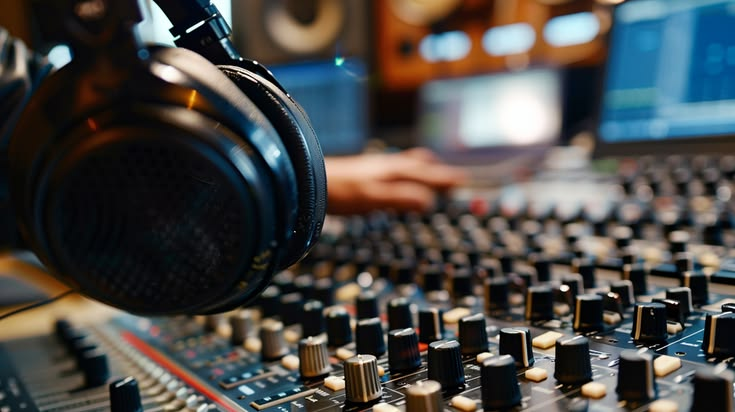
- Headphones
- Soundproof accessories
For example, a podcaster may use a microphone and recording software to create episodes. Similarly, musicians often use advanced tools to record instruments and vocals with high sound quality.
Different tools serve different purposes. Some are designed for beginners and offer simple controls, while professional solutions include advanced sound editing features.
Why Are Audio Recording Tools Important?
Audio recording tools are important because they directly affect sound quality. Poor audio can reduce audience engagement, while clear recordings create a professional impression.
Here are some reasons why these tools matter:
- Improved Sound Quality
Good tools reduce noise and improve voice clarity. - Professional Results
High-quality recordings build trust and improve content quality. - Easy Editing
Recording software allows users to remove mistakes and background sounds. - Content Creation Support
Creators need reliable tools for podcasts, music, videos, and voiceovers. - Better Communication
Businesses use audio tools for meetings, presentations, and online training.
For instance, a clear podcast is easier to understand than one filled with background noise. Likewise, music recordings sound more polished when proper tools are used.
Detailed Step-by-Step Guide
Step 1: Understand Your Recording Purpose
Before choosing audio recording tools, identify why you need them.
Ask yourself:
- Are you recording podcasts?
- Do you want to create music?
- Will you use the recordings for videos?
- Are voiceovers your main goal?
Understanding your purpose helps narrow down your options.
Step 2: Choose the Right Microphone
Microphones are one of the most important audio recording tools.
Common types include:
USB Microphones
These microphones connect directly to a computer and are beginner-friendly.
Best for:
- Podcasts
- Online meetings
- Voice recording
XLR Microphones
These offer professional sound quality but need an audio interface.
Best for:
- Studio recording
- Music production
- Professional podcasts
Lavalier Microphones
Small clip-on microphones often used in interviews and videos.
Best for:
- Presentations
- Video content
- Interviews
Step 3: Select Recording Software
Software plays a major role in audio recording.
Popular categories include:
Beginner-Friendly Software
Easy to use and ideal for simple editing.
Features include:
- Basic trimming
- Noise reduction
- Voice enhancement
Professional Software
Advanced tools designed for experienced creators.
Features include:
- Multi-track editing
- Advanced sound mixing
- Effects and filters
Choose software based on your experience level.
Step 4: Use Headphones for Monitoring

Good headphones help detect problems during recording.
Benefits include:
- Better sound monitoring
- Noise detection
- Improved editing accuracy
Without headphones, users may miss unwanted sounds.
Step 5: Improve the Recording Environment
Background noise can damage audio quality.
Ways to improve recording space include:
- Closing windows
- Turning off noisy devices
- Using curtains or foam panels
- Recording in quiet rooms
Even simple adjustments can significantly improve sound.
Step 6: Test Your Audio Settings
Always test equipment before recording.
Check:
- Volume levels
- Microphone position
- Background noise
- Sound clarity
Short test recordings help avoid major mistakes.
Step 7: Edit and Enhance Audio
Editing improves the final output.
Editing tasks may include:
- Removing pauses
- Reducing noise
- Adjusting sound levels
- Adding music or effects
Even beginner editing can greatly improve quality.
Step 8: Save and Export Correctly
Choose the right audio format based on your needs.
Popular formats include:
- MP3 for sharing
- WAV for high quality
- AAC for streaming
Saving correctly ensures better compatibility.
Benefits of Audio Recording Tools
Audio recording tools offer many advantages.
- Better Sound Quality
Clear and sharp recordings improve listening experiences. - Professional Appearance
High-quality audio builds credibility. - Easy Editing Options
Users can remove errors and improve sound. - Greater Creativity
Music creators and podcasters can experiment with new ideas. - Time Savings
Efficient tools speed up recording and editing. - Versatility
Useful for podcasts, music, gaming, business, and education. - Improved Audience Engagement
Better sound keeps listeners interested. - Convenient Workflow
Organized recording systems reduce stress.
Disadvantages and Risks
Although audio recording tools are helpful, there are some challenges.
- High Cost
Professional tools may be expensive. - Learning Curve
Advanced software can feel difficult for beginners. - Technical Issues
Equipment problems may interrupt recordings. - Storage Requirements
High-quality files take more space. - Background Noise Problems
Poor environments affect sound quality. - Compatibility Concerns
Some devices may not work together.
Being aware of these risks helps users prepare better.
Common Mistakes to Avoid
Many beginners make simple mistakes when using audio recording tools.
Ignoring Microphone Placement
Poor placement often creates weak or distorted sound.
Keep the microphone at a proper distance for better clarity.
Recording in Noisy Rooms
Background sounds reduce recording quality.
Always choose a quiet location.
Buying Expensive Gear Too Early
Many people spend too much before learning basics.
Start with beginner-friendly tools first.
Skipping Audio Testing
Failing to test recordings can lead to poor results.
Always run quick checks before starting.
Overediting Audio
Too many effects may reduce natural sound quality.
Keep edits balanced.
Using Low-Quality Accessories
Cheap cables or headphones can affect performance.
Invest in reliable accessories when possible.
FAQs
1. What are the best audio recording tools for beginners?
Beginners should start with USB microphones and simple recording software. These options are affordable and easy to use without technical experience.
2. Do I need expensive equipment for quality recording?
No, expensive tools are not always necessary. Many affordable options deliver excellent results when used correctly.
3. Which microphone is best for podcasting?
USB microphones are often recommended for beginners because they are simple to connect and provide good sound quality.
4. How can I reduce background noise?
Choose quiet spaces, close windows, and use soundproof materials when possible. Editing software can also help reduce noise.
5. Is recording software necessary?
Yes, software is important because it allows users to edit, improve, and organize audio files.
6. What file format should I use?
MP3 works well for sharing online, while WAV is better for high-quality professional recordings.
Expert Tips and Bonus Points
If you want better results from audio recording tools, follow these expert tips:
- Speak Clearly
Clear speech improves recording quality. - Maintain Consistent Distance
Stay the same distance from the microphone. - Use Pop Filters
These reduce harsh sounds in recordings. - Record Multiple Takes
Having backups helps during editing. - Keep Software Updated
Updates improve performance and security. - Organize Files Properly
Create folders for easier management. - Practice Regularly
Recording skills improve with experience. - Invest Slowly
Upgrade equipment gradually.
Small improvements often create noticeable differences in sound quality.
Conclusion
Audio recording tools play a major role in producing high-quality sound for different purposes. Whether someone wants to create podcasts, record music, produce videos, or improve online communication, choosing the right tools makes the process easier and more professional. From microphones to software, every piece of equipment contributes to the final result.
Beginners should avoid rushing into expensive purchases. Instead, learning the basics and starting with simple equipment is often the smartest approach. Understanding recording environments, microphone placement, and editing methods can dramatically improve outcomes without large investments.
At the same time, experienced users can benefit from upgrading their setup and exploring advanced features. With proper planning, anyone can create impressive audio content that sounds polished and engaging.
The key is consistency and practice. High-quality recordings do not happen overnight, but with patience and the right audio recording tools, anyone can achieve professional-level sound. By following the tips and strategies shared in this guide, users can confidently start their recording journey and continue improving over time.